Any app’s sound.
Even before you
press Record.
Record audio from the apps you choose. Save a clean MP3 or WAV while other apps and Windows notifications stay out of the file.
7-day full-feature trialOne-time purchase
That was worth keeping.
You still can.
With Pre-record on, the last 30 seconds to 3 minutes of your chosen apps stay in memory. Press Record and your file starts with the audio you already heard.
Or press Ctrl+Alt+M to save that stretch as a clip, plus the next 3 seconds. No ongoing recording needed.
Enable Pre-record before the moment happens. It cannot recover earlier audio.
Explore Pre-record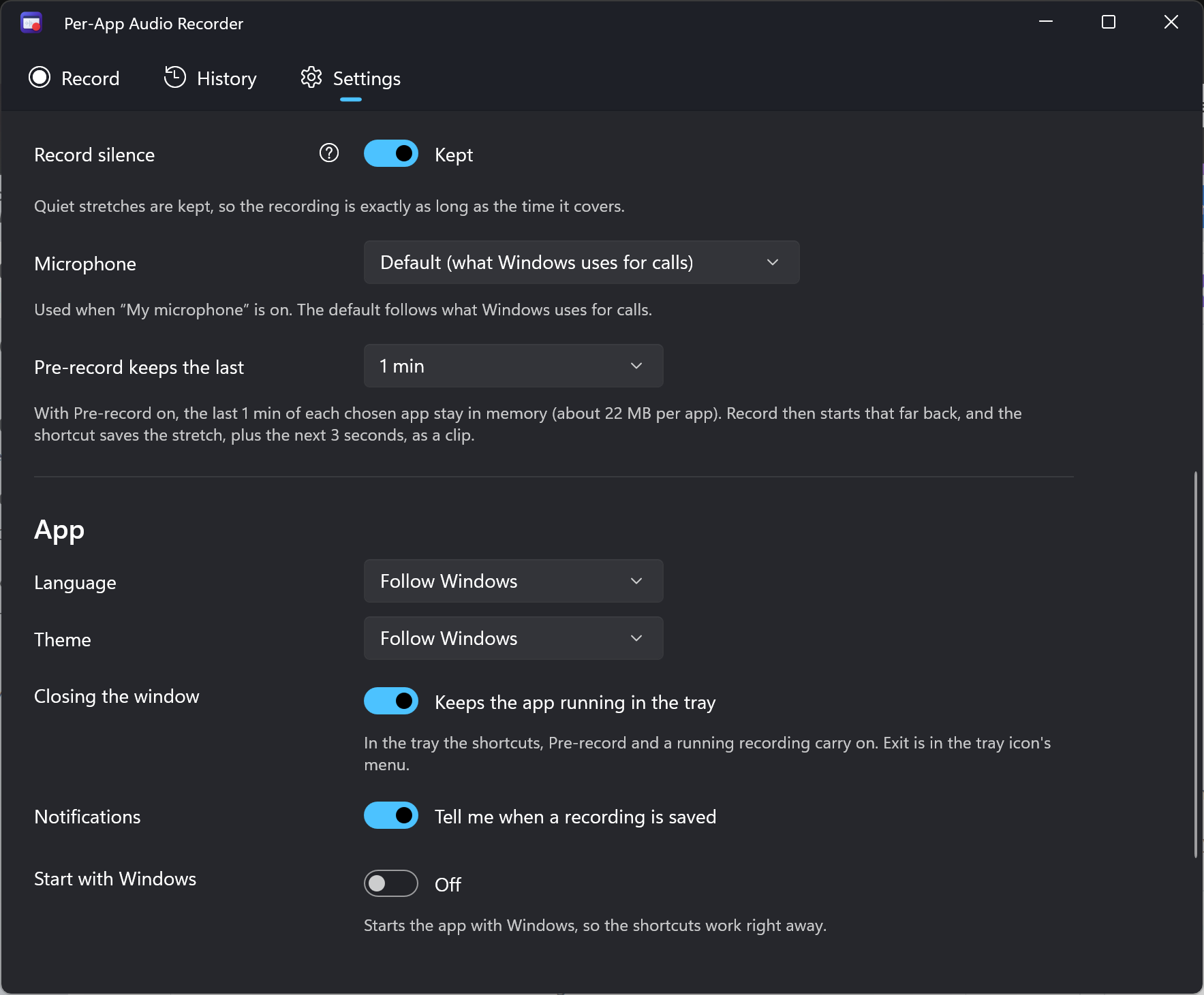
Three steps. A clean recording.
An internal audio recorder that lets you decide what makes it into the file.
Pick your app.
Choose an app from the live list. Its level meter shows you that sound is playing. Ctrl+click to add more apps.
Press Record.
Use the 5-second test take to check your source first. Add your microphone or switch on Pre-record when you need them.
Get your MP3 or WAV.
Stop and your file is saved in the folder you chose. Play it from History or open it in your audio editor.
See what you’ll be using.
Recording, History and Settings, with both light and dark themes.
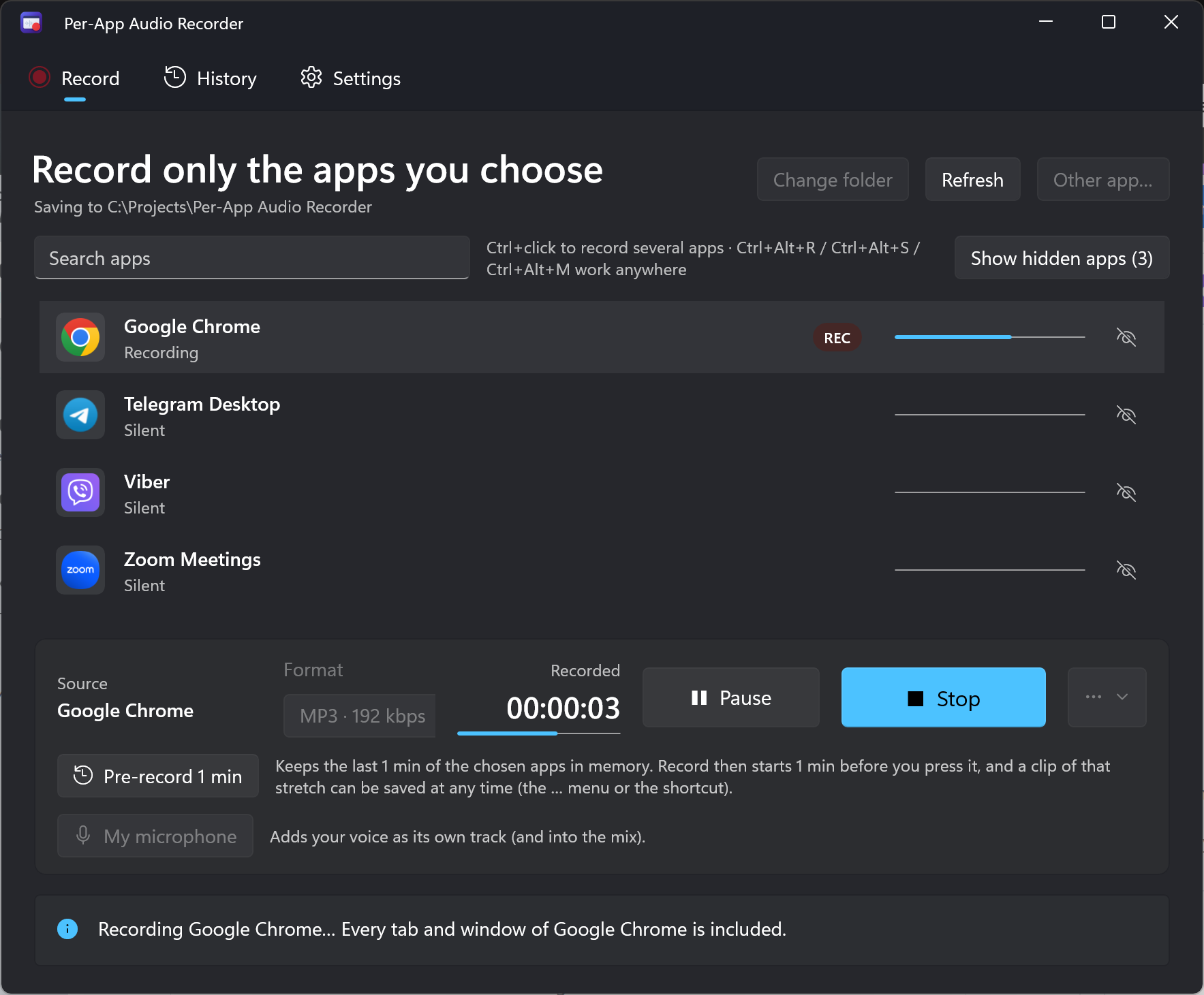
Record only the apps you choose.
Google Chrome recording with Pre-record enabled in the dark theme.
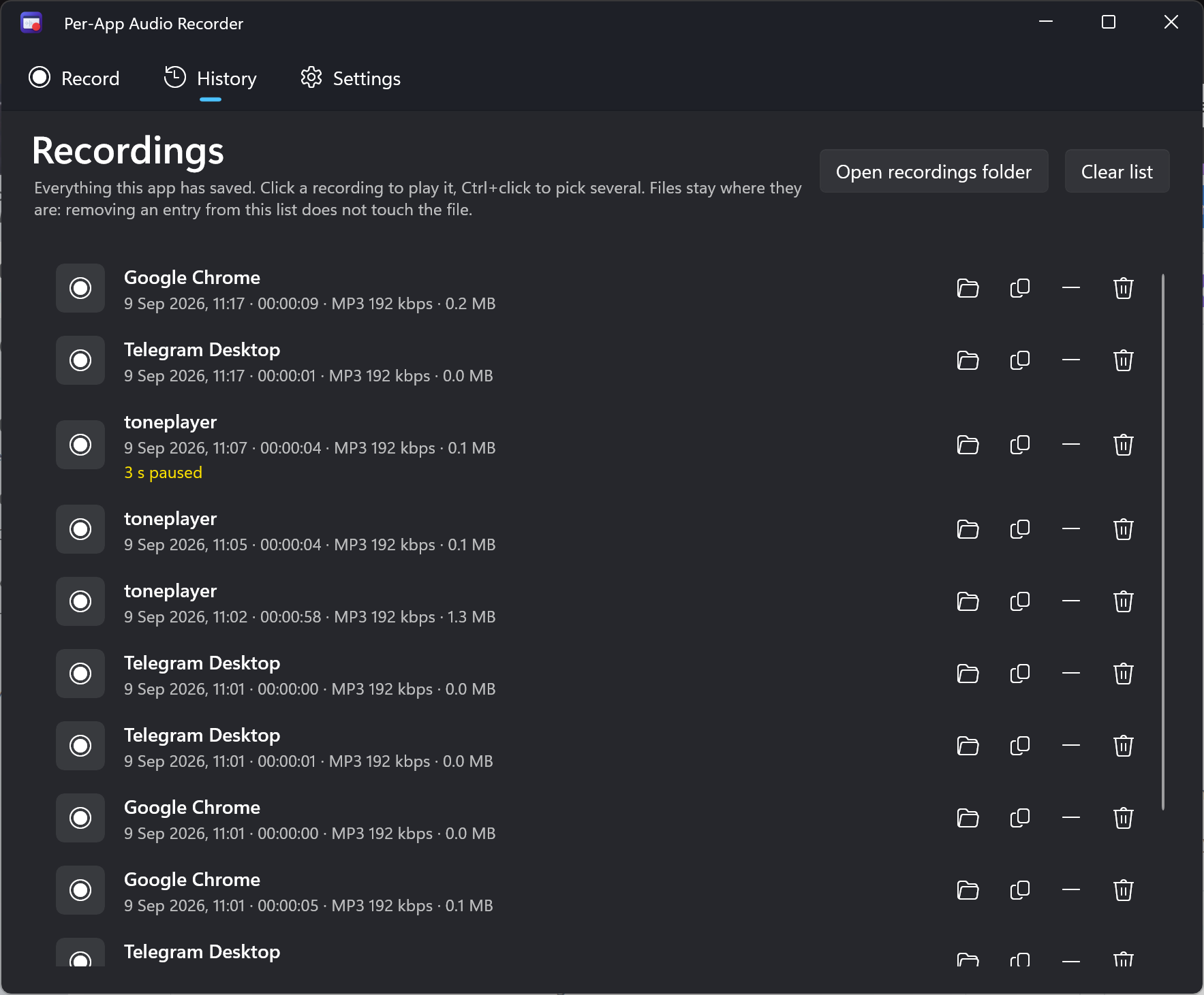
Your recordings, in one place.
See saved files, duration, format, size and recording notes in History.
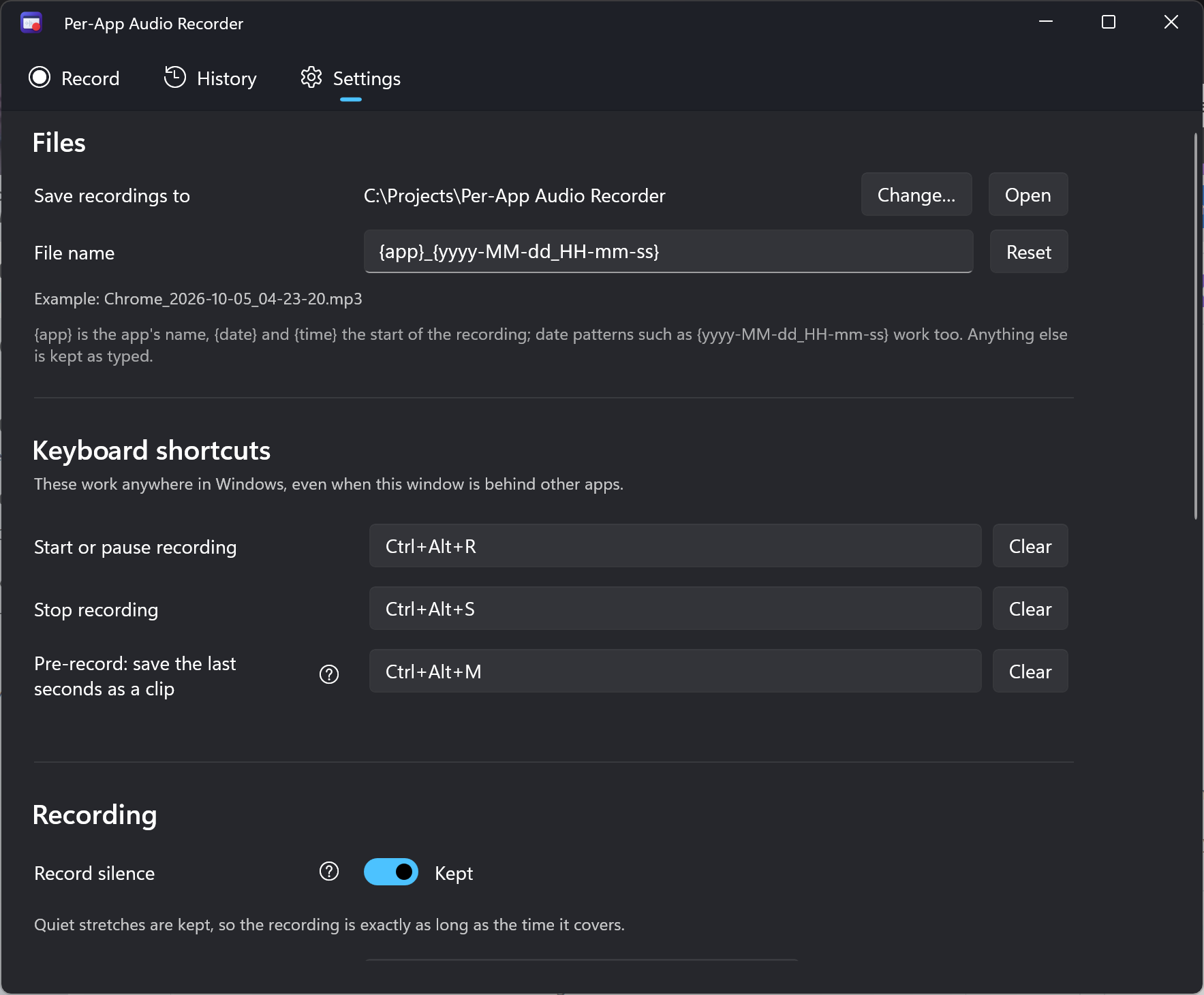
Files and shortcuts that fit your workflow.
Choose your output folder, file naming pattern and global keyboard shortcuts.
Keep recent audio ready to save.
Set the Pre-record buffer, microphone input, theme and background behavior.
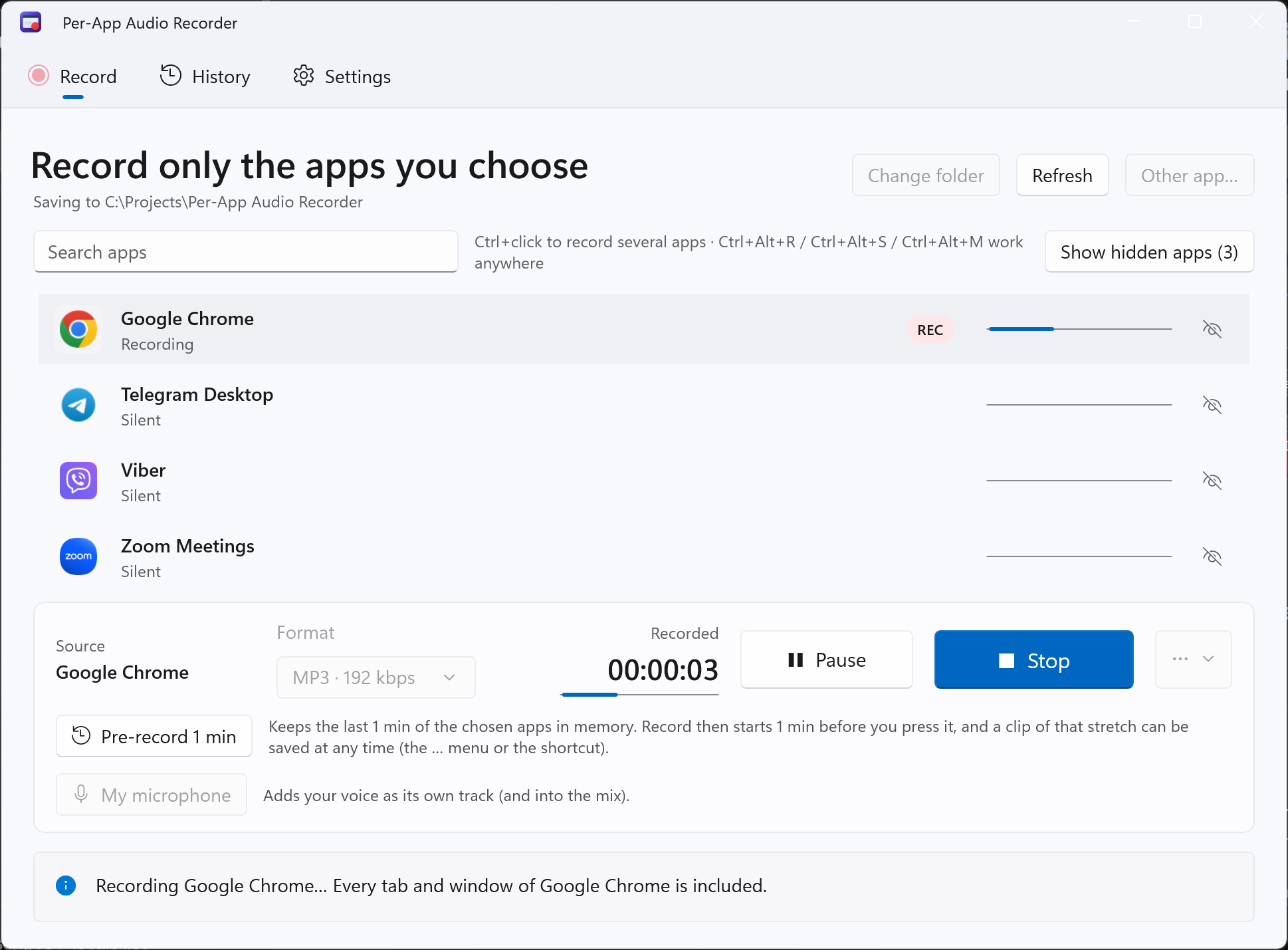
The same recorder. A lighter look.
Record Google Chrome audio with the app’s light theme.
One tool. Your everyday audio.
Record computer audio from a specific program, with the rest of your desktop left out.
Keep the conversation.
Record a Zoom call or remote interview without music from another app. Add your microphone when you want your voice in the file.
Calls & meetingsKeep the lesson.
Record browser audio from a lecture or webinar in Chrome or Edge. Save a small MP3 you can come back to.
Browser audioKeep the moment.
Record Discord audio separately from your game, or save the voice-chat moment you just heard with Pre-record.
Discord & gamesThe control you want.
The setup you can skip.
Use a system audio recorder with app-level control, useful shortcuts and files that stay yours.
One app. Several apps. Your choice.
Capture selected apps as separate files, one mixed file, or both. The inverse mode records everything except one app and includes system sounds.
MP3 or WAV, ready to use.
Save MP3 at 128 to 320 kbps, or 16- or 24-bit WAV. Separate files from one recording line up sample for sample in your editor.
Your voice, on its own track.
Add your microphone when you need it. Save it separately or include it in the mix, with independent volume control.
Stay in your flow.
Start, pause, stop and save a clip with global keyboard shortcuts. Recording and Pre-record keep running in the background.
Keep what was captured.
If Windows crashes or power is lost, the app offers to restore the unfinished recording at the next launch. Usually only the last few seconds are missing.
No audio setup detour.
No Stereo Mix, virtual audio cable or extra driver. You keep listening through your normal speakers or headphones.
Your audio belongs
on your computer.
- No uploads
- No app telemetry
- No recorder account
Recordings are saved locally. The app has no usage tracking. Your microphone stays off until you turn it on, and a problem report is sent only when you choose to send it.
Read the app privacy policyA useful tool.
A one-time purchase.
Try it with your apps and your workflow. The trial includes everything, from app isolation to Pre-record.
- Every feature unlocked for 7 days
- 14 interface languages included
- Automatic app updates through Microsoft Store
- No account required by the recorder
$9.99USD base price
One-time purchase. Local pricing and taxes are shown in Microsoft Store.
Start your 7-day trialAll features included. Windows 10 & 11.
A few straight answers.
Whole browsers, protected audio, microphone recording. The details matter.
Read all FAQsCan I record a single browser tab?
No. The whole browser is recorded, including its tabs and windows. Pause or mute unwanted tabs before recording, or play the audio in a separate browser and select that browser.
Can protected audio be recorded?
DRM-protected audio cannot be recorded and may come out silent. Use the built-in 5-second test take before a long session to check your source. Record only audio you have the right to record.
What is Pre-record?
Pre-record keeps a rolling buffer of the last 30 seconds, 1 minute, 2 minutes or 3 minutes of your selected apps in memory. Press Record to include that buffered audio at the start. Press Ctrl+Alt+M to save the buffer and the next 3 seconds as a standalone clip. It must already be enabled; it cannot recover earlier audio.
Can I record my own voice too?
Yes. Turn on My microphone. Your voice can be saved to its own file and is included in the mixed file when you create one. You can set separate app and microphone volumes in the mix. Use headphones to avoid recording your speakers through the microphone.
Does it record one app or the whole computer?
Only the apps you pick. Record one app or select several with Ctrl+click. There is also an inverse mode to record everything except one app. That inverse mode does include system sounds.
Your apps. Your audio. Your files.
Try every feature for 7 days. Then buy once, keep recording.